Question
What should be considered when emptying the water tank?
Answer
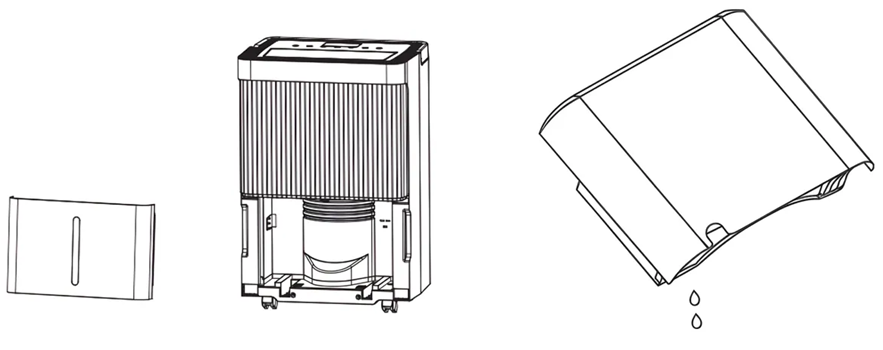
When the tank is full, the device emits an audible signal, the display shows “FL”, and the full water indicator lights up. Press the POWER button to switch the device off. Carefully pull the water tank out of the unit. Empty the water into a suitable drain or pour it outside. Rinse and clean both the inside and the outside of the tank. Reinsert the empty tank securely into the device. Press the POWER button again to resume operation. If the full water indicator remains illuminated, check that the float inside the tank is correctly positioned.
Warning Notice
Do not remove the magnets or plastic rivets. They are required for proper detection. Without them, the device may not stop when the tank is full, which can lead to water overflow and damage to floors. Always empty the tank before changing the operating mode. A full tank may prevent the device from switching modes. Clean the tank using water only. Avoid detergents, chemicals, steel wool, or solvents, as these may damage the tank and cause leaks. Reinsert the empty tank correctly. If the tank or magnets are missing or incorrectly positioned, the red “Full” indicator may remain illuminated and the device will not restart.
Do you have any other questions that we have not yet been able to answer? No problem – our advisory team will be glad to assist you: contact ecofort.
Was this article helpful?
That’s Great!
Thank you for your feedback
Sorry! We couldn't be helpful
Thank you for your feedback
Feedback sent
We appreciate your effort and will try to fix the article